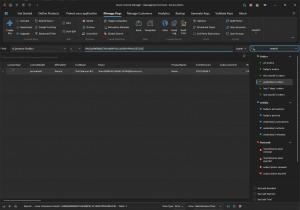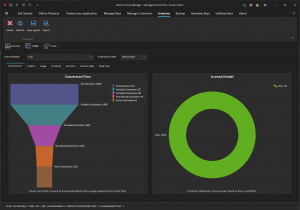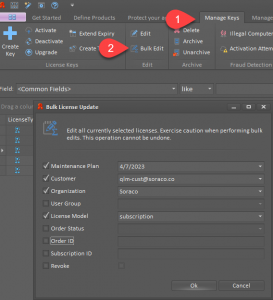

Role-based access control can make or break your software license management strategy. Without clear permission boundaries, security gaps emerge and operational tasks pile up. Quick License Manager puts you in control by assigning precise roles that tighten software protection while streamlining workflows. Keep reading to see how this approach sharpens both security and efficiency in your licensing process. For more information, check out this resource.
Benefits of Role-Based Access Control

Role-based access control is a game-changer for software license management. It not only fortifies security, but it also boosts operational processes. Let’s dive into these benefits.
Enhancing Security
Keeping your software secure is key. Assigning roles based on access needs cuts down on risks. By limiting access, you reduce the chance of unauthorized use. This way, security breaches become less likely.
Did you know that 60% of data breaches involve stolen credentials? That’s why role assignments are crucial. With this method, your team only accesses what they need, minimizing potential threats.
Want to explore more about how role-based access control tightens security? This article provides deeper insights.
Boosting Operational Efficiency
Getting more done with less effort sounds good, right? With role-based access control, you streamline operations. Tasks get assigned based on roles, making workflow smooth and efficient.
The longer you wait to implement this, the more resources you waste. Imagine a team where everyone knows their role. Tasks get completed faster. You experience fewer errors, saving time and money.
Read more about the operational perks of role-based control here.
Implementing Role-Based Access Control
Ready to take the next step? Implementing role-based access control is easier than you think. Here’s how you can start.
Assigning Specific Permissions
To get started, first define the roles in your organization. Decide who needs access to what. This ensures everyone has what they need, without extra permissions.
Assigning specific permissions is like building a strong foundation. Your system becomes organized, and security is enhanced. Use real examples from your business to determine roles.
This guide can help you set up permissions effectively.
Streamlining User Management
Managing users doesn’t have to be a headache. With clear roles, managing becomes straightforward. You no longer juggle who needs access to what. Instead, the system automatically regulates this.
Consider the time saved when user management becomes seamless. Your team can focus on other crucial tasks. You might even find surprising efficiencies in unexpected places.
Explore how to implement these strategies by visiting this link.
Quick License Manager Advantages

With the basics covered, let’s talk about why Quick License Manager stands out. It offers unique advantages for managing your licenses effectively.
Advanced License Management Solutions
Quick License Manager is not just about control; it’s about providing comprehensive solutions. It supports diverse license models, from perpetual licenses to cloud-based solutions.
Need to integrate with e-commerce platforms? Quick License Manager has you covered. It automates license distribution, saving you time and effort.
To learn more about these features, check out this detailed overview.
Scheduling a QLM Demo
Curious about how Quick License Manager can revolutionize your workflow? Schedule a demo to see it in action. Discover firsthand how role-based access control can make your system more secure and efficient.
Most people think that setting up new software is daunting, but with Quick License Manager, it’s simple. The demo will show you how easy it is to implement.
Don’t wait any longer to enhance your license management process. Dive into a tailored demo and see the benefits unfold for your business.